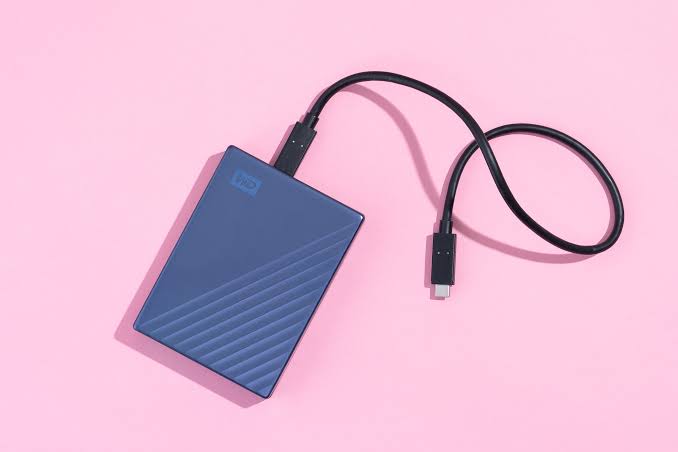
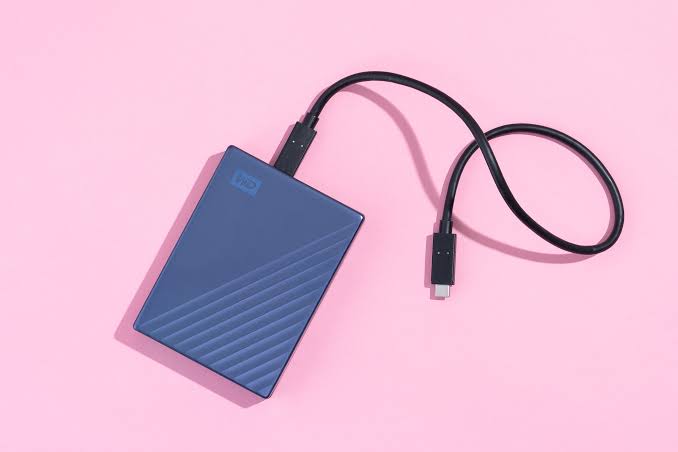
For decades, the central bottleneck in computing performance was not the processor, the memory, or the graphics card; it was the storage drive. The mechanism by which a computer stores, retrieves, and writes persistent data directly dictates the overall responsiveness of the entire system. Today, the storage market is heavily dominated by two distinct architectures: the traditional Hard Disk Drive (HDD) and the modern Solid State Drive (SSD).
Understanding the profound engineering differences between magnetic storage and flash memory is critical for IT professionals, system builders, and everyday consumers. Choosing the wrong storage medium can either bottleneck a high-end workstation or waste thousands of dollars on unnecessary server infrastructure. This comprehensive guide breaks down the mechanics, performance metrics, durability, and optimal use cases for both HDDs and SSDs.
1. The Mechanics of Hard Disk Drives (HDDs)
The Hard Disk Drive is a marvel of 20th-century electromechanical engineering. First introduced by IBM in 1956, the fundamental physics of the HDD have remained largely unchanged, even as capacities have skyrocketed from megabytes to terabytes.
Magnetic Platters: An HDD consists of one or more rigid circular disks called platters, typically made of aluminum, glass, or ceramic, and coated with a thin layer of magnetic material. These platters spin at incredibly high speeds—usually 5,400 or 7,200 Revolutions Per Minute (RPM) in consumer drives, and up to 15,000 RPM in enterprise server drives.
The Actuator Arm and Read/Write Heads: Hovering just nanometers above the spinning platters is the actuator arm, which sweeps across the disk similar to a needle on a vinyl record player. At the tip of this arm are the read/write heads.
Data Mechanics: To write data, the head generates a microscopic magnetic field that alters the magnetic polarity of tiny regions on the platter, representing binary 1s and 0s. To read data, the head detects these magnetic polarities.
Because the HDD relies on moving physical parts, the actuator arm must physically travel to the correct physical track on the platter, and then wait for the platter to rotate the correct sector directly under the head. This physical movement introduces a mechanical delay known as seek time and rotational latency.
2. The Mechanics of Solid State Drives (SSDs)
Solid State Drives represent a fundamental paradigm shift in data storage. As the name implies, they contain absolutely zero moving parts. Instead of magnetic platters and mechanical arms, SSDs store data using complex arrays of microscopic electronic components.
NAND Flash Memory: The core of an SSD is NAND flash memory. This consists of millions of microscopic floating-gate transistors arranged in a grid.
Electrons and Data: To write data, the SSD controller applies a precise electrical charge to force electrons through an insulating layer into the floating gate of the transistor. The presence or absence of these trapped electrons determines the binary state (1 or 0).
Data Cells: Modern SSDs use different types of NAND cells to maximize capacity. Single-Level Cell (SLC) stores one bit per cell, offering extreme speed and durability. Multi-Level Cell (MLC), Triple-Level Cell (TLC), and Quad-Level Cell (QLC) store multiple bits per cell. While QLC offers massive storage capacities at lower costs, it requires more complex voltage calculations to read and write, which slightly reduces performance and lifespan compared to SLC.
The Controller: Because there is no physical arm to move, data can be read from or written to any physical location on the NAND chips instantly. The SSD relies on a powerful internal processor (the controller) to manage data routing, wear-leveling, and error correction.
3. Performance Metrics: Speed and Latency
When comparing HDDs and SSDs, the performance delta is not just a matter of percentages; it is a matter of entirely different orders of magnitude.
Sequential Read/Write Speeds
Sequential speed measures how fast a drive can read or write a single, massive file, such as a 50GB 4K video file.
HDD: A modern 7,200 RPM HDD typically peaks at around 150 to 200 Megabytes per second (MB/s).
SATA SSD: An SSD using the older SATA III interface maximizes the bandwidth of that cable, reaching about 500 to 550 MB/s.
NVMe PCIe SSD: Modern SSDs utilizing the Non-Volatile Memory Express (NVMe) protocol over a PCIe 4.0 or PCIe 5.0 interface can reach astonishing sequential speeds of 7,000 to 14,000 MB/s.
Random I/O and IOPS
While sequential speed looks great on a spec sheet, operating systems rarely read data in one continuous block. Booting Windows, launching a video game, or running a database involves reading thousands of tiny 4-Kilobyte files scattered randomly across the drive. This is measured in Input/Output Operations Per Second (IOPS).
HDD: Because the mechanical arm must physically swing back and forth to find scattered data, HDDs suffer tremendously in random read/write scenarios. A good HDD might achieve 100 to 200 IOPS.
SSD: Because flash memory has no moving parts, an SSD can access data anywhere on the chips instantly. A standard NVMe SSD can effortlessly push 500,000 to over 1,000,000 IOPS. This is why upgrading an old laptop from an HDD to an SSD makes it feel infinitely faster and more responsive.
4. Durability, Reliability, and Lifespan
Both technologies have specific vulnerabilities and differing definitions of hardware lifespan.
Mechanical Vulnerability (HDD)
HDDs are highly susceptible to physical trauma. Because the read/write heads hover mere nanometers above a platter spinning at 120 times per second, any sudden physical shock (like dropping a laptop or tipping over an external drive) can cause the head to crash into the platter. This physically scratches the magnetic surface, resulting in catastrophic and irreversible data loss. Furthermore, the internal motors and bearings will eventually wear out due to physical friction.
Write Endurance (SSD)
SSDs are immune to physical shock. You can drop an SSD on a concrete floor, and the data will be perfectly safe. However, NAND flash memory degrades on a chemical level. Every time you erase and write new data to a flash cell, the insulating oxide layer slightly degrades. Over time, the cell loses its ability to reliably hold electrons. This is measured in Terabytes Written (TBW). A typical consumer SSD might have an endurance rating of 600 TBW. Once you write 600 Terabytes of data to the drive, the controller will lock it into a “Read-Only” mode to prevent data corruption. While this sounds alarming, the average user writes only 10-20 GB per day, meaning the SSD will likely outlast the computer it is installed in by a decade.
5. Interfaces and Form Factors
The physical shape and connectivity standards of storage have evolved to accommodate the extreme speeds of solid-state technology.
SATA (3.5-inch and 2.5-inch): The classic Serial ATA cable was designed for HDDs. Desktop HDDs use the large 3.5-inch form factor, while laptop HDDs and early SSDs use the smaller 2.5-inch form factor. SATA III is physically hard-capped at 600 MB/s, creating a severe bottleneck for modern flash memory.
M.2 NVMe: This is the modern standard for SSDs. An M.2 drive looks like a stick of gum. It plugs directly into the motherboard, requiring no power cables or data cables. Instead of using the slow SATA protocol, it uses the NVMe protocol, connecting directly to the CPU via PCIe lanes, unlocking bandwidth of over 10 Gigabytes per second.
6. Cost Per Gigabyte and Capacity Scaling
Despite being vastly inferior in performance, the Hard Disk Drive retains one absolute, unshakeable advantage: cost-efficiency for mass storage.
Manufacturing microscopic 3D NAND flash memory is highly complex and expensive. Conversely, stacking more magnetic platters into an HDD enclosure is a mature and relatively cheap industrial process.
As of current market rates, an SSD costs approximately $50 to $100 per Terabyte, depending on its speed and tier.
An enterprise-grade HDD costs approximately $15 to $20 per Terabyte.
When building a high-end gaming PC, spending $100 on a 1TB SSD is logical. However, when a massive data center needs to build a 50-Petabyte archival server for cold storage, utilizing SSDs would cost tens of millions of dollars, whereas using high-capacity 20TB HDDs keeps the budget manageable.
7. Optimal Use Cases and The Hybrid Approach
The storage industry has firmly settled into specific roles for each technology.
When to use an SSD:
Primary Boot Drive (OS): Every modern computer must use an SSD for its operating system. Running Windows or macOS on an HDD in the modern era results in system hangs and excruciating boot times.
Applications and Software: Video editing software (Premiere, DaVinci), 3D rendering tools, and large databases require the IOPS of an SSD to function without lagging.
Modern Gaming: Modern video game engines stream high-resolution textures directly from the storage drive to the GPU in real-time. HDDs can no longer keep up, resulting in stuttering and missing textures.
When to use an HDD:
Mass Archival (Cold Storage): Storing years of family photos, massive collections of 4K movie files, or raw video footage that you are not actively editing.
Network Attached Storage (NAS): Home servers and NAS enclosures used for automated backups and media streaming rely almost exclusively on high-capacity HDDs in RAID configurations, as Gigabit ethernet speeds (125 MB/s) are easily saturated by mechanical drives anyway.
Enterprise Surveillance: Recording dozens of 24/7 security camera feeds involves constant sequential writing, which destroys SSD write endurance but is perfectly handled by surveillance-grade HDDs.
For most power users and businesses, the ultimate solution is a Tiered Storage Architecture: utilizing a fast NVMe SSD for the operating system and active projects, paired with a massive, inexpensive HDD array for long-term file retention.