Overclocking Risks: Managing Voltage, Frequencies, and Thermal Loads

For decades, the holy grail of the PC enthusiast community was the art of overclocking: the meticulous process of forcing a Central Processing Unit (CPU) or Graphics Processing Unit (GPU) to operate at clock speeds far beyond the manufacturer’s official specifications. It was a badge of honor to buy a mid-tier processor and, through BIOS manipulation and robust cooling, push its performance to rival that of flagship silicon costing twice as much.

However, extracting this “free” performance requires breaking the physical and electrical boundaries set by the manufacturer. Overclocking is not a software trick; it is a brute-force alteration of electrical physics. When you push silicon past its factory limits, you introduce immense thermal loads, severe stability risks, and the invisible threat of physical hardware degradation.

This comprehensive guide dissects the triad of overclocking—Frequencies, Voltages, and Thermals—explains the destructive phenomenon of electromigration, outlines the strict protocols for stability testing, and evaluates the diminishing returns of manual overclocking in the modern hardware landscape.

1. The Physics of the Overclock: Frequency and Voltage

To understand the risks of overclocking, you must understand the mathematical relationship between how fast a chip runs and how much electricity it requires.

  • Clock Frequency (MHz/GHz): This dictates how many billions of cycles a processor executes per second. Increasing the “Core Multiplier” in the BIOS forces the transistors inside the CPU to switch on and off faster, processing data more rapidly.
  • The Voltage Wall (Vcore): As you increase the frequency, the transistors have less time to switch states (from a 0 to a 1). Eventually, the switching happens so fast that the electrical signal degrades, leading to a crash or a Blue Screen of Death (BSOD). To force the transistors to switch faster and maintain signal integrity, you must push more electrical pressure into the chip. This is Core Voltage (Vcore).

The critical danger of overclocking lies in the mathematical formula for dynamic power consumption: $P = C \times V^2 \times f$

(Power = Capacitance × Voltage Squared × Frequency).

Because voltage is squared in this equation, the relationship between voltage and heat is not linear; it is violently exponential.

  • Raising a CPU’s clock speed from 4.8GHz to 5.0GHz (a minor frequency bump) might require you to raise the Vcore from 1.25V to 1.35V.
  • That seemingly tiny 0.1V increase in electrical pressure can result in a massive 30-watt to 50-watt spike in total power draw, instantly overwhelming standard cooling solutions.

2. Thermal Loads and the Cooling Deficit

The immediate and most obvious risk of overclocking is uncontrolled thermal output. Factory cooling solutions are engineered with strict thermal budgets based on stock voltages. When you manually overvolt a processor, you instantly shatter that thermal budget.

  • The TjMax Threat: If the processor exceeds its Maximum Junction Temperature (TjMax, usually 100°C), it will aggressively thermal throttle, drastically dropping its clock speeds. An unstable, thermal-throttling 5.2GHz overclock will perform significantly worse in games and rendering than a cool, stable 4.8GHz factory stock configuration.
  • The VRM Torture Test: Overclocking does not just heat up the CPU; it tortures the motherboard. As you push high voltages and pull 250+ Amps of current, the Voltage Regulator Modules (VRMs) on the motherboard generate blistering heat. If the motherboard VRMs are not heavily heatsinked, they will overheat and throttle the CPU, or worse, pop a capacitor and permanently destroy the motherboard.
  • The Cooling Requirement: Serious manual overclocking requires shedding standard air coolers for high-end 360mm All-In-One (AIO) liquid coolers or entirely custom, open-loop water cooling systems to absorb the violent thermal spikes generated by the over-volted silicon.

3. The Invisible Killer: Electromigration and Silicon Degradation

Many novice overclockers believe that as long as the CPU is kept cold, it is perfectly safe to pump massive amounts of voltage into it. This is a fatal misunderstanding of physics. Even if you use liquid nitrogen to keep a CPU at sub-zero temperatures, excessive voltage will physically destroy the chip through a process called Electromigration.

  • The Mechanism: Inside a modern CPU are billions of microscopic, nanometer-scale copper and aluminum interconnects (wires). When you push excessive voltage (e.g., 1.45V+ on a modern architecture) through these microscopic wires, the electrical current is so intense that the electrons physically collide with the metal atoms in the wire, slowly knocking them out of place.
  • The Degradation: Over months of heavy use, electromigration literally erodes the internal circuitry of the CPU, just as a fast-flowing river erodes a canyon wall.
  • The Symptoms of Degradation: A CPU suffering from degradation will suddenly lose stability. An overclock that was perfectly stable at 1.35V for a year will suddenly begin crashing. To regain stability, the user is forced to lower the clock speed or push even more voltage into the chip, which only accelerates the degradation in a vicious death spiral until the CPU permanently fails.

4. The Illusion of Stability: The Rigors of Stress Testing

The most common trap of overclocking is the “Boot Illusion.” Just because a PC boots into Windows, opens a web browser, and runs a 5-minute benchmark without crashing does not mean the overclock is stable.

An unstable overclock is a ticking time bomb. It will cause silent data corruption, writing corrupted bits to your hard drive, ruining operating system files, and causing sudden application closures during critical work.

Validating an overclock requires grueling, mathematical stress testing designed to push the silicon to its absolute electrical breaking point.

The Arsenal of Stress Testing

  1. Prime95 (Small FFTs): The gold standard for CPU torture. This mathematical algorithm forces the CPU to calculate prime numbers using extreme AVX instructions. It pulls the absolute maximum theoretical power draw the chip can handle, generating heat loads far beyond any real-world application. If a CPU can survive Prime95 for 2 hours without a worker thread failing or the system rebooting, the CPU is considered heavily stable.
  2. OCCT (OverClock Checking Tool): An incredibly robust diagnostic suite that can test the CPU, GPU, and VRAM simultaneously. It is specifically designed to hunt for microscopic computational errors that standard benchmarks miss.
  3. MemTest86: If you are overclocking your RAM (or pushing XMP/EXPO profiles to their limits), Windows may appear fine, but corrupted data is silently being written to your drive. MemTest86 is booted from a USB drive (bypassing Windows) and viciously tests the memory addresses. A single error out of billions of passes is considered a hard failure.

5. The Modern Reality: Is Overclocking Dead?

If you read forums from 2012, manual overclocking was mandatory for enthusiasts. Today, the landscape is entirely different. Traditional, manual fixed-voltage overclocking is largely considered obsolete, inefficient, and often detrimental to modern hardware.

The Rise of Algorithmic Boosting (PBO and GPU Boost)

Modern CPUs (AMD Ryzen 7000/9000, Intel Core 13th/14th Gen) and GPUs (NVIDIA RTX 4000 series) are astonishingly smart. They feature internal micro-controllers that analyze temperature, electrical current, and workload type at a rate of 1,000 times per second.

  • If the processor senses it has thermal headroom (e.g., it is only running at 65°C), it will automatically and instantaneously overclock itself, boosting to the absolute limit of the silicon.
  • If you attempt to apply a traditional “Manual All-Core Overclock” (locking all cores to 5.0GHz), you actually cripple the processor’s ability to boost a single core to 5.8GHz during light tasks like web browsing or older gaming engines.

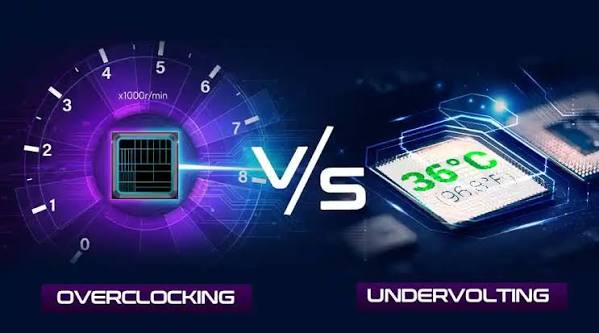
The Paradigm Shift: Undervolting is the New Overclocking

Because modern chips are pushed to the absolute redline straight out of the box, pushing them further yields diminishing returns (e.g., pulling 100 extra watts for a 3% gain in framerates).

Today, enthusiasts utilize tools like AMD’s Curve Optimizer or Intel’s Adaptive Voltage Offsets. Instead of pushing voltage up to reach higher clocks, they push the voltage curve down (Undervolting). By starving the chip of unnecessary factory voltage, the CPU runs drastically cooler. Because it runs cooler, the CPU’s own internal boost algorithms sense the thermal headroom and automatically boost the clock speeds higher and longer than they would have at factory settings.

Conclusion: Weighing the Risks

For competitive overclockers utilizing liquid nitrogen, manipulating voltages remains a thrilling sport. However, for the daily gamer, video editor, or workstation professional, traditional manual over-volting is a relic of the past. The microscopic gains in performance are completely eclipsed by the massive increases in thermal output, the acoustic nightmare of screaming cooling fans, and the very real risk of accelerating silicon degradation. Modern enthusiast tuning requires working with the silicon’s boost algorithms through precise undervolting, rather than trying to brute-force past them.