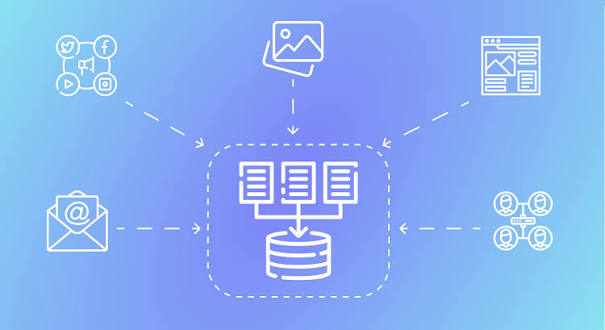
In the daily operations of IT infrastructure and personal computing, the focus is heavily skewed toward immediate data availability and rapid disaster recovery. However, an entirely different discipline is required when data no longer needs to be accessed daily but must be preserved flawlessly for decades. This is the domain of Long-Term Data Archiving and Cold Storage.
From legal compliance and healthcare records to irreplaceable family histories and digital cinema masters, retaining data over massive time horizons introduces unique physical and technological challenges. Standard hard drives and modern SSDs are fundamentally unsuited for sitting in a drawer for twenty years. This comprehensive guide explores the critical difference between backups and archives, the physical deterioration of storage media, and the specialized technologies required to ensure data outlives the hardware that created it.
1. The Fundamental Distinction: Backup vs. Archiving
The terms “backup” and “archive” are frequently used interchangeably by consumers, but in enterprise architecture, they represent two completely different workflows with opposing goals.
- Backups (High Availability): A backup is a redundant copy of active working data. The primary goal is rapid restoration. If a server crashes or a user deletes a file, the backup system is designed to restore that exact state as quickly as possible. Backups are constantly updated, rotated, and overwritten.
- Archives (Long-Term Retention): An archive is a permanent repository for inactive data. The primary goal is historical preservation and immutability. When a client project is finished, the final files are moved to the archive and deleted from the primary high-speed storage. Archives are strictly “Write Once, Read Rarely.” Speed of restoration is irrelevant; the only metric that matters is absolute data integrity over decades.
2. The Enemy of Preservation: Bit Rot and Media Degradation
The greatest threat to archived data is not hackers or accidental deletion, but the fundamental laws of physics. Every digital storage medium eventually degrades, causing a phenomenon known as “Bit Rot” or silent data corruption.
- Solid State Drives (SSDs) and Flash Memory: SSDs store data by trapping electrons inside microscopic insulated gates. If an SSD is disconnected from a power source and placed in a vault, those electrons slowly leak out over time. Depending on temperature and cell wear, an unpowered SSD can begin losing data in as little as 3 to 5 years. Flash memory must never be used for long-term cold storage.
- Hard Disk Drives (HDDs): Mechanical hard drives store data using magnetic polarity. While they retain data longer than unpowered SSDs, the magnetic fields gradually weaken over time. Furthermore, the mechanical lubricants inside the drive can dry up, and the delicate read/write heads can seize if the drive sits unused for a decade. A standard HDD sitting in a closet has a realistic safe shelf life of about 5 to 7 years before data loss becomes a severe risk.
- The Silent Killer: Bit rot occurs when a single magnetic bit randomly flips from a 1 to a 0. In a text document, this might change a single letter. In a highly compressed video file, a single flipped bit can render the entire file permanently unplayable.
3. Magnetic Tape (LTO): The Undisputed King of Cold Storage
Despite feeling like a relic of the 1980s mainframe era, magnetic tape remains the absolute gold standard for enterprise data archiving today. The modern standard is Linear Tape-Open (LTO), an open-format tape technology utilized by the world’s largest data centers and Hollywood film studios.
The LTO Advantage
- Massive Capacity: The current generation, LTO-9, can store 18 Terabytes of raw, uncompressed data on a single cartridge roughly the size of a thick cassette tape.
- Extreme Longevity: Unlike hard drives with spinning motors, a tape cartridge has no complex moving parts. When stored in a climate-controlled environment (cool and dry), LTO tape has a certified archival lifespan of 30 to 50 years.
- The Ultimate Air-Gap: Tape is inherently immune to ransomware. Once a backup is written to a tape and the tape is physically ejected from the drive and placed on a shelf, it is completely disconnected from the network. No virus on Earth can encrypt a plastic cartridge sitting on a rack.
- Cost-Efficiency: While the initial LTO tape drive is expensive (often $3,000+), the cartridges themselves are incredibly cheap compared to hard drives (roughly $5 to $8 per Terabyte). At an enterprise scale of petabytes, tape is the cheapest physical storage medium in existence.
The Drawback: Sequential Access
Tape is a linear medium. If you want a file that is located at the very end of the tape, the drive must physically spool through a mile of magnetic ribbon to reach it. This makes tape utterly useless for running an operating system or a database, but perfect for deep, sequential archival storage.
4. Optical Media (M-DISC): Engraving Data in Stone
For individual users and small businesses that cannot afford an enterprise LTO tape drive, traditional optical media (CDs, DVDs, Blu-rays) has historically been the fallback. However, standard burned DVDs use an organic dye to record data, which degrades rapidly when exposed to UV light and humidity, often failing within 5 to 10 years.
The definitive solution for consumer archiving is the M-DISC (Millennial Disc).
- How it Works: Instead of using degradable organic dyes, the M-DISC uses a patented, rock-like inorganic data layer. When an M-DISC is written, a high-powered laser literally melts microscopic pits into this synthetic stone layer.
- Extreme Durability: Because the data is physically engraved into an inorganic layer, the M-DISC is immune to light, temperature fluctuations, and humidity.
- The 1,000-Year Promise: Rigorous testing by the U.S. Department of Defense confirmed that M-DISCs suffer zero data degradation under extreme environmental stress. The manufacturer claims the disc will safely retain data for up to 1,000 years.
- Capacity: M-DISCs are available in standard Blu-ray capacities (25GB, 50GB, and 100GB BDXL). While too small for backing up entire servers, they are the absolute best medium in the world for preserving family photographs, essential legal documents, and cryptographic recovery keys.
5. Cold Cloud Storage: The Economics of Deep Archives
For organizations that prefer operational expenditure (OpEx) over buying and maintaining physical hardware, cloud providers offer highly specialized “Cold Storage” tiers specifically engineered for archiving.
Standard cloud storage (like Amazon S3 Standard or Google Drive) keeps data spinning on hard drives, ready to be downloaded instantly. Cold cloud storage moves your data to heavily compressed, offline, or tape-backed infrastructure.
The Major Players
- Amazon S3 Glacier Deep Archive: Designed for data that is accessed less than once a year. It costs less than $1 per Terabyte per month.
- Google Cloud Archive: Offers massive cost savings for data that requires long-term retention with zero expectations of rapid access.
The Cold Cloud Catch: Retrieval Fees and Delays
Cloud providers heavily subsidize the storage cost of cold tiers, but they penalize you if you actually need to download the data.
- Retrieval Times: If you request a file from Glacier Deep Archive, it does not download instantly. You must submit a request, and it can take anywhere from 12 to 48 hours for Amazon’s automated systems to locate the data and move it to a temporary location where you can download it.
- Egress Costs: While storing 10 Terabytes might only cost $10 a month, suddenly downloading that 10 Terabytes to restore a system could cost hundreds of dollars in bandwidth “egress” fees. Cold cloud storage must strictly be used as a last-resort disaster vault, not as a working directory.
6. Best Practices for Long-Term Data Retention
Hardware is only half of the archiving equation. Without strict operational protocols, archived data can become completely inaccessible.
- Format Obsolescence: Storing a complex 3D project file for 30 years is useless if the software company that created it goes bankrupt and no modern computer can open the file. When archiving, always export a secondary copy in an open, universally standardized format. Convert proprietary
.docx files to .pdf/a (PDF for Archiving). Convert complex RAW photos to uncompressed .tiff. Export video timelines to standard .mp4 or .mov containers.
- Metadata and Cataloging: An archive of 50,000 files is worthless if you cannot find what you need. Archive media must be meticulously labeled, and a searchable index (a catalog file) must be kept on your live system detailing exactly what files are stored on which specific physical tape or disc.
- Migration Cycles: No medium lasts forever, and hardware interfaces change. A perfectly preserved SCSI hard drive from 1995 is almost impossible to plug into a modern MacBook. True archival strategy dictates a migration cycle every 10 years. You must actively copy your data from old media (e.g., LTO-6 tapes) onto modern media (e.g., LTO-9 tapes) to ensure it remains compatible with contemporary hardware.
- Cryptographic Hashing: Before writing files to a long-term archive, generate a list of SHA-256 cryptographic hashes for every file. When you retrieve the archive a decade later, you can run the files against the hash list. If the hashes match perfectly, you have mathematical proof that zero bit rot occurred during the storage period.